 Can I keep some medications private when sharing a medication list?
WhatMeds was designed by a team of physicians and technologists to make healthcare more accessible wherever you go. WhatMeds helps you share your important health information - your up-to-date medications - with clinicians, pharmacists, and family care givers via a convenient and secure method of sharing. You can share directly from your phone or from a printed WhatMeds card. WhatMeds provides you with important information about the medications you take, including medication side effects, dosage, special precautions, and a link to more information from a trusted source, the National Institute of Health (NIH) Medline Plus.
On your next visit to the clinic or pharmacy, when they ask, "What medications are you taking?" WhatMeds can help you answer quickly and accurately.
An updated, accurate medications list helps doctors quickly evaluate your history and avoid possible misdiagnoses, delays in care, or drug interactions.
You will first need to create a WhatMeds QR Code from the app. Select the three-dots icon (⋮) in the upper right-hand corner of the app and tap "Share". The unique WhatMeds QR code you generate can be shared with your doctor or nurse or you can print the WhatMeds QR code to keep in your physical wallet.
Once your doctor or nurse has scanned your QR code with their mobile device, you will receive a text message asking if you intended to share. Reply "yes" so the doctor/nurse can see and review your medications. This screen will only be viewable for a limited period of time, controlled by you within the WhatMeds® app.
The WhatMeds QR code can be reused for new clinic visits, but for each visit, you will need to confirm that you intend to share via a text message.
From the same Share screen, WhatMeds gives you an option to: (1) save your WhatMeds medications-sharing QR code to your photo gallery; (2) print a WhatMeds wallet card that includes your QR code and picture; or (3) share a link to your QR code via email, text messaging and other methods.
Can I keep some medications private when sharing a medication list?
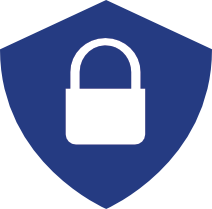
Yes, WhatMeds lets you select specific medications you wish to share with a specific doctor, other clinician, family member, etc. The medications you want to keep private will be marked with a blue privacy shield next to that medication and will not be included in the list of medications you want to share.
Yes, the WhatMeds app lets you create WhatMeds cards and print a WhatMeds wallet card for any number of people, including family members and others who you may be a caregiver to.
Medicare beneficiaries with Medicare Part D drug coverage or Medicare Advantage plan members can electronically fetch their last 12 months of medication data from Medicare using the WhatMeds app. You may further use the app indicate which medication you are no longer taking (see below).
If you are not on Medicare or have other medications you would like to add such as over-the-counter medications, WhatMeds lets you conveniently add FDA-approved medications with a few taps using an intelligent search.
No. When you update your medication list by refreshing your Medicare information (which happens automatically every week when you open the app), by self-entering new medications, or by removing medications you no longer take, your medications list will automatically update using the same QR code.
 What is the orange triangle icon next to a medication?
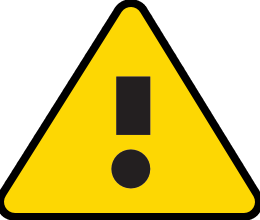
An orange triangle icon (with a black exclamation mark) indicates that there is an important warning associated with this medication. If you are experiencing one of the indicated side effects, please discuss with your prescriber.
These warnings include:
(1) Opioid Warning - the medication includes any opioid-related ingredients
(2) Over 65 Warning - some medications have potential risks when used for patients aged 65 and over and should only be used with caution. You should never stop taking a medication after reading a warning without having a discussion with your doctor. In some cases, your doctor will determine that the benefit of taking one of these medications exceeds the risk. Note: The warnings are based on American Geriatrics Society recommendations called the latest Beers Criteria for Potentially Inappropriate Medication Use in Older Adults.
(3) Drug-Drug Interaction - when two or more medications have a potential to interact, WhatMeds will provide a warning. When you see any of these warnings next to a medication, it is important to discuss them with your doctor as soon as possible. The source for these drug-drug interactions is the High Priority Drug-Drug Interaction list from the National Library of Medicine as directed by an expert panel assembled by the US Department of Health & Human Services Office of the National Coordinator for Information Technology.
(4) Coronavirus Infection Warning - some medications put individuals at higher risk for severe COVID-19 infection.
 What are the currently taking / side effects / privacy options I see?
You may select a medication from your medication list to view additional information about the medication. In this detailed view, you may select: (1) if you are currently taking the medication; (2) if you would like to keep this medication private, and (3) if you are experiencing any side effects from the medication. Note: the on/off symbols will show green for "yes", gray for "no". Also, by default, the side effects field will say "none".
Summary of symbols and functions
On the medication list screen, you will see three types of symbols that reflect what you selected on the previous individual medication screen.
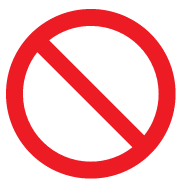
Red null icon - indicates that you selected are no longer taking the medication.
Orange warning triangle - indicates that you entered a side effect for the medication. Note that before marking up any side effect annotation, you may research medication side effects from Medline Plus discussed above.
Blue padlock shield icon - indicates that you selected "Keep private" in the individual medication details screen. When a medication is marked private, the specific medication will not be shared via the QR code that you create for this profile.
By default, WhatMeds shows the last refill of a given medication and the number of refills you were prescribed.
To permanently delete any stored information in WhatMeds, delete an individual profile or all the profiles in the app. Deleting a profile also disables the printed or saved WhatMeds QR code from being used in the future.
To delete profiles, tap the pencil icon on the top right of your profile card on the home screen and then tap the blue trash can icon on the top of the next screen.
Remember, deleting profiles cannot be undone, and the record cannot be restored.